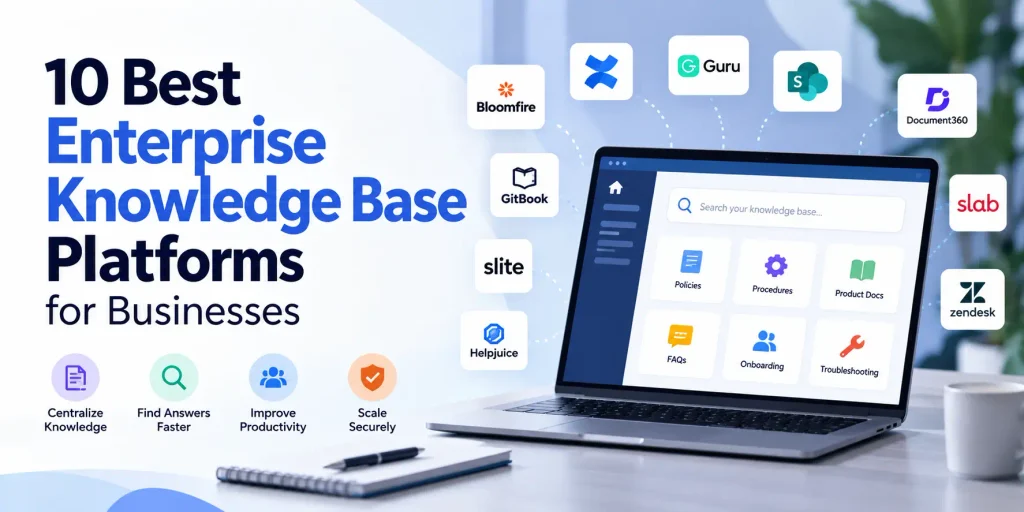
Enterprise knowledge base platforms help organizations turn scattered documents, procedures, policies, and employee expertise into information people can find and use. When a business grows, knowledge becomes distributed across departments, collaboration tools, shared drives, ticketing systems, and individual employees. Without a reliable way to organize and retrieve that knowledge, people spend time searching for answers, repeating questions, and recreating work that has already been done.
The right platform can make organizational knowledge more accessible, improve employee self-service, support customer service, and give AI applications a better foundation for answering questions. However, not every knowledge base serves the same purpose. Some are designed for internal documentation, others focus on customer-facing help centres, and some connect information across existing enterprise applications.
This guide examines ten enterprise knowledge base platforms, their primary use cases, and the capabilities businesses should evaluate before selecting a solution.
Key Takeaways
- The right platform depends on the type of knowledge you need to manage. Internal procedures, technical documentation, customer support articles, and enterprise-wide information discovery have different requirements.
- Search and governance matter as much as content creation. A knowledge base must help people find reliable answers while controlling access and keeping information current.
- AI capabilities require trustworthy source content. AI search and generated answers become more useful when the underlying knowledge is accurate, well organized, and properly permissioned.
- Enterprise requirements extend beyond the feature list. Integration, identity management, administration, scalability, security, and adoption should influence the purchasing decision.
- A platform is not a complete knowledge management strategy. Clear ownership, maintenance responsibilities, and processes for capturing expertise are necessary to make the system useful over time.
What Is an Enterprise Knowledge Base Platform?
An enterprise knowledge base platform is software that enables an organization to create, organize, maintain, search, and distribute knowledge at scale. The content may include operating procedures, technical documentation, internal policies, troubleshooting guides, product information, onboarding resources, and answers to recurring questions.
Unlike a general-purpose file repository, a well-designed knowledge base focuses on making information understandable and usable in context. Employees should be able to locate the correct procedure rather than simply discover a folder containing hundreds of documents.
For example, an employee who needs to understand a procurement approval process should be able to find the current policy, identify the relevant approval steps, and determine which rules apply to their department. Similarly, a support agent should be able to locate an approved troubleshooting guide while responding to a customer.
Enterprise knowledge base platforms may support internal knowledge sharing, customer self-service, or both. They can also serve as an important source of information for AI assistants and automated workflows.
The distinction matters because a company looking for a searchable internal knowledge hub may have very different needs from a software company building a public product documentation site.
Ten Enterprise Knowledge Base Platforms to Consider
The following platforms address different knowledge management requirements. They are presented as a practical shortlist rather than a universal ranking. The most suitable option depends on the organization’s use case, existing technology environment, governance requirements, and budget.
1. Bloomfire: For Enterprise Knowledge Sharing and Discovery
Bloomfire is designed to help organizations make collective knowledge accessible across teams. It is particularly relevant to businesses that need to share information from multiple sources rather than maintain a knowledge base consisting only of manually written articles.
Its capabilities include AI-assisted knowledge discovery, conversational answers grounded in company content, content connectors, approval workflows, and controls for reviewing or retiring outdated material. The platform also supports knowledge in different formats, which may suit organizations whose expertise is distributed across documents, conversations, and media.
Bloomfire may be worth evaluating for cross-functional organizations that need to make institutional knowledge easier to discover and reuse. Buyers should examine connector coverage, source permissions, content governance, and the quality of answers returned from their own information.
Best suited for: Enterprises focused on knowledge sharing, discovery, and making organizational expertise more accessible.
2. Guru: For Verified Knowledge in Everyday Workflows
Guru focuses on delivering trusted organizational knowledge where employees work. Rather than relying exclusively on users visiting a separate knowledge portal, its approach emphasizes making relevant information available through connected workplace tools and workflows.
This model can be useful for customer support, sales enablement, employee operations, and other functions where people need reliable answers while completing tasks. Knowledge verification is an important part of this approach because employees need to distinguish approved information from content that may be outdated or incomplete.
Organizations evaluating Guru should examine how knowledge is verified, how content ownership works, which applications are supported, and how permissions are respected when information is retrieved.
It is particularly important to understand how the platform handles conflicting answers and how administrators can identify content that needs review.
Best suited for: Teams that need trusted, maintained answers delivered within everyday work.
3. Confluence: For Collaborative Internal Documentation
Confluence is a collaborative workspace that organizations use to create and maintain project documentation, team knowledge, technical guides, meeting records, and internal resources.
Its strengths include collaborative editing, structured pages, content templates, version history, search, and connections to other Atlassian products. For organizations already using Jira, Confluence can provide a shared documentation environment closely connected to software development and service workflows.
It can support a wide range of knowledge management activities, from engineering documentation to onboarding resources and operational procedures. However, the flexibility of a collaborative workspace does not eliminate the need for governance. Organizations still need to assign content owners, define page structures, review critical procedures, and prevent important information from becoming buried in outdated spaces.
Confluence is best evaluated in the context of the broader Atlassian environment and the organization’s requirements for permissions, administration, and enterprise support.
Best suited for: Organizations that rely on collaborative documentation, particularly software, IT, and product teams.
4. Microsoft SharePoint: For Enterprise Content and Microsoft 365 Knowledge
SharePoint is an enterprise content and collaboration platform used to build internal sites, organize business information, share documents, and manage content across departments.
Its relevance to knowledge management comes from its role within the Microsoft 365 environment. Organizations can use SharePoint sites and pages to publish policies, procedures, departmental resources, and organizational guidance while using existing Microsoft capabilities for collaboration, identity, and administration.
Microsoft is also developing more explicit knowledge base and AI-assisted knowledge experiences within SharePoint. Availability and functionality can depend on licensing and preview status, so buyers should confirm what is generally available in their environment.
SharePoint can be attractive for enterprises that already rely heavily on Microsoft 365. However, configuration quality is important. Poorly designed sites, inconsistent metadata, unclear ownership, and excessive duplication can make a large content environment difficult to navigate.
Best suited for: Organizations seeking a knowledge and content layer closely integrated with Microsoft 365.
5. Document360: For Structured Documentation and Knowledge Publishing
Document360 focuses on creating, organizing, publishing, and maintaining knowledge bases. It is relevant to organizations that require structured documentation rather than a general-purpose collaborative workspace.
Potential applications include product documentation, customer help centres, technical knowledge, and internal procedural content. Its value proposition centres on providing an environment designed specifically for knowledge content, with capabilities for authoring, organization, search, and documentation management.
For businesses with a substantial documentation portfolio, dedicated publishing workflows can help maintain consistency and make content easier to maintain. However, buyers should determine whether the platform’s intended audience and publishing model match their requirements.
Evaluation should cover content approval processes, version control, access restrictions, analytics, integrations, language support, and any limits associated with the selected plan.
Best suited for: Organizations that need a dedicated platform for structured technical, product, or internal knowledge documentation.
6. Slab: For a Searchable Internal Company Knowledge Hub
Slab is an internal knowledge base designed to help teams organize company information and make it easier to access. It is relevant to organizations that want a central location for internal documentation without building a complex content management environment from scratch.
Typical use cases include team handbooks, onboarding guides, process documentation, project knowledge, and company policies. A focused knowledge hub can make it easier for employees to understand how work is performed and where to find established answers.
The practical question is whether the platform’s organization and search capabilities remain effective as the knowledge base grows. Businesses should also evaluate how it fits with existing collaboration tools, identity controls, and document repositories.
As with any internal knowledge platform, adoption depends on employees being able to find useful content quickly and trust that the information they discover is current.
Best suited for: Teams that want a dedicated, accessible home for internal company knowledge.
7. Helpjuice: For Customizable Knowledge Bases and Help Centres
Helpjuice is a knowledge base platform for organizing and delivering information to internal users or external audiences. It can be relevant to companies that want a dedicated knowledge portal with control over its presentation, content structure, and search experience.
A business might use a platform like Helpjuice to publish employee procedures, operational guidance, customer FAQs, or product support resources. Centralized documentation can reduce reliance on informal communication and help users locate consistent answers without contacting a colleague or support representative.
Before choosing the platform, buyers should confirm the available customization options, access controls, search functionality, analytics, integrations, and the practical cost of supporting their intended number of contributors and readers.
Organizations should also test how easily content owners can update articles and how users can report missing, confusing, or outdated information.
Best suited for: Businesses seeking a dedicated and customizable knowledge base for employees or customers.
8. Zendesk Knowledge: For Customer Support and Self-Service
Zendesk Knowledge is especially relevant to organizations that manage customer support through Zendesk. It connects knowledge content with service workflows so that agents can use relevant articles while responding to customer enquiries.
Support teams can use knowledge articles to explain common issues, provide troubleshooting instructions, and help customers resolve problems independently. Article recommendations and mechanisms for reporting content gaps can also help teams improve the knowledge base based on actual support interactions.
This creates a useful feedback loop: recurring customer questions reveal where documentation is missing, and support agents can help identify where existing guidance needs improvement.
However, a customer support knowledge base and an enterprise-wide internal knowledge platform are not interchangeable. Businesses looking to manage corporate policies, engineering documentation, and institutional expertise across the entire organization should examine whether Zendesk’s broader capabilities match those requirements.
Best suited for: Customer service teams that want knowledge closely integrated with support operations and self-service.
9. GitBook: For Technical and Product Documentation
GitBook is a documentation platform suited to software teams that need to create and maintain technical information. It supports structured documentation, publishing, and workflows that connect documentation with software development practices.
Common use cases include product guides, API documentation, developer resources, and technical reference material. Its documentation-oriented approach can be especially valuable when content must evolve alongside a product or codebase.
GitBook also provides AI-oriented documentation capabilities, including AI search and GitBook Assistant. Organizations should evaluate how these capabilities support their intended publishing and discovery workflows, including who can access the content and how updates are managed.
Although technical documentation is an important part of organizational knowledge, GitBook should not automatically be treated as a complete enterprise-wide knowledge management system. Buyers with broader internal requirements should assess whether additional systems are needed for policies, operational procedures, employee knowledge, and cross-functional expertise.
Best suited for: Software companies and technical teams managing product, API, and developer documentation.
10. Slite: For AI-Powered Internal Knowledge Management
Slite is an internal knowledge base platform designed to help organizations create, organize, find, and maintain company knowledge. It is particularly relevant to businesses that want to move beyond static documentation and make internal information easier to discover and maintain.
The platform combines collaborative documentation with AI-assisted search and knowledge maintenance. Employees can ask questions in natural language and receive answers based on connected company information, with source citations to help them verify the results. Slite also offers capabilities to identify potentially outdated documentation and propose updates for human review.
These capabilities may be useful for organizations managing employee handbooks, operational procedures, onboarding material, customer support documentation, and internal process guides. Connecting knowledge across workplace applications can also help reduce the effort employees spend searching for information in multiple locations.
However, organizations should evaluate how Slite fits their existing technology environment, including supported integrations, access controls, administrative requirements, and the processes used to review proposed changes. AI-assisted maintenance should support content owners rather than replace accountability for the accuracy of organizational knowledge.
Best suited for: Organizations seeking an AI-enabled internal knowledge base with a focus on searchable, verified, and maintainable company documentation.
Enterprise Knowledge Base Platforms Compared
The following table summarizes the primary use cases of the ten platforms. It is intended to help narrow the shortlist, not replace a detailed requirements assessment.
| Platform | Strongest starting point | What to evaluate carefully |
|---|---|---|
| Bloomfire | Cross-functional knowledge sharing and discovery | Connectors, governance, and answer quality |
| Guru | Verified knowledge in everyday workflows | Verification processes and application coverage |
| Confluence | Collaborative team documentation | Content ownership, structure, and administration |
| Microsoft SharePoint | Microsoft 365-based enterprise content | Configuration, metadata, permissions, and licensing |
| Document360 | Structured knowledge documentation | Publishing workflows and content management |
| Slab | Internal company knowledge hub | Search, integrations, and scalability |
| Helpjuice | Customizable knowledge portals | Access controls, analytics, and contributor requirements |
| Zendesk Knowledge | Customer support and self-service | Fit beyond customer service use cases |
| GitBook | Technical and product documentation | Suitability for broader enterprise knowledge |
| Slite | AI-powered internal knowledge and documentation maintenance | Integrations, access controls, content verification, and enterprise requirements |
Product capabilities, packaging, and enterprise features can change. Treat this comparison as an initial shortlist and verify the current offering directly with each vendor before making a purchasing decision.
Essential Features to Evaluate Before Choosing a Platform
Search and Knowledge Discovery
Search quality should be assessed using real questions that employees or customers ask, not only sample queries prepared by the vendor.
A useful platform should help people retrieve relevant content even when they do not know the exact title, terminology, or location of a document. Depending on the system, that may involve full-text search, semantic retrieval, filters, metadata, or AI-generated answers.
During a demonstration, test common questions, ambiguous queries, synonyms, and searches that span multiple departments. Examine not only whether the right content appears, but whether users can understand why a result is relevant.
Content Governance and Ownership
Knowledge bases become less useful when nobody is responsible for maintaining them. Policies change, products evolve, employees leave, and procedures are replaced. A platform should support a sustainable way to assign ownership and maintain trustworthy content.
Look for version history, review workflows, approval controls, content status, and mechanisms for identifying stale or unused articles. Critical information may also require different approval processes from everyday team documentation.
The organization must determine who can publish, who approves changes, and how outdated guidance is retired.
Security and Access Controls
Enterprise knowledge often contains information that should not be available to every employee or external user. Departmental procedures, customer details, financial policies, and technical documentation may all require different access rules.
Review role-based permissions, single sign-on, identity integration, audit capabilities, administrative controls, and the security commitments applicable to the proposed deployment.
AI search requires particular attention. A system should not expose restricted information simply because an AI assistant can retrieve it. Test the complete access model rather than relying only on a vendor’s general security statement.
AI Capabilities and Answer Reliability
AI capabilities may include natural-language search, summaries, suggested content, generated answers, and assistance with drafting documentation. These functions can reduce the effort required to find and maintain knowledge, but their usefulness depends on the quality of the underlying information.
Organizations should investigate whether generated answers identify their sources, respect permissions, handle conflicting content, and communicate uncertainty appropriately. They should also determine how frequently connected sources are refreshed and whether administrators can review AI-related activity.
A platform with impressive demonstrations is not necessarily the best option if its answers are difficult to verify in real operating conditions.
Integrations and Workflow Fit
Knowledge is often created in one application and consumed in another. Support agents may need articles inside a ticketing system, engineers may reference documentation alongside development work, and employees may search for policies from collaboration tools.
Examine whether the platform integrates with the applications your employees actually use. Check which integrations are included, whether additional licenses are required, and whether information is indexed, synchronized, or copied into a separate repository.
Integration quality directly affects the effort required to maintain consistent information across systems.
Analytics and Continuous Improvement
Knowledge base analytics should help teams understand whether information is useful. Search queries with no results, repeated article views, abandoned searches, poor feedback, and frequently opened pages can reveal where knowledge needs improvement.
The most valuable analytics connect content performance to a business outcome. For example, a customer support team may track whether articles help resolve enquiries, while an HR team may examine whether employees can find policy information without repeatedly contacting HR.
Define these measures before implementation so that the platform is evaluated against actual organizational needs.
How to Choose the Right Enterprise Knowledge Base Platform
Start by identifying the problem you need to solve. If employees cannot find policies and procedures across departments, an internal knowledge hub may be appropriate. If support teams repeatedly answer the same customer questions, a customer-facing knowledge base integrated with service workflows may be more suitable. If engineers struggle to keep technical documentation synchronized with product changes, a documentation-oriented platform may be a better fit.
Next, map where your knowledge currently resides. Identify the major repositories, the applications where employees look for answers, and the content that must remain in its existing system. This will help determine whether you need a central publishing platform, a discovery layer across existing systems, or a combination of both.
Then define the requirements that are non-negotiable. Depending on the organization, these could include single sign-on, granular permissions, regional hosting, auditability, integrations, multilingual content, or approval workflows. Separate mandatory requirements from optional features before reviewing demonstrations.
Finally, run a practical evaluation with representative users. Give each shortlisted vendor the same scenarios, sample content, and search questions. Assess retrieval quality, usability, administrative effort, content maintenance, and the accuracy of any AI-generated responses.
Do not assess only how quickly a vendor can implement the product. Also consider the ongoing work required to maintain the information. A platform that is easy to launch but difficult to govern may create another repository of outdated content.
Enterprise Knowledge Base vs. Enterprise Search vs. Knowledge Management Platform
These categories overlap, but they address different needs.
An enterprise knowledge base provides a managed environment for publishing and maintaining structured knowledge. It is useful when an organization wants approved articles, policies, procedures, FAQs, and guidance presented in a consistent format.
Enterprise search helps people discover information across multiple existing applications and repositories. A discovery platform may connect to document systems, collaboration tools, and other business applications without requiring every source document to be moved into a new knowledge base. Glean, for example, focuses on enterprise-wide knowledge discovery and AI-assisted access to organizational information.
A broader knowledge management platform or strategy also addresses how knowledge is identified, captured, validated, shared, applied, and retained. This includes the human practices involved in maintaining expertise, transferring experience, learning from work, and ensuring that knowledge is available when decisions need to be made.
A company may need just one of these capabilities or a combination of them. The important question is not which category sounds most advanced, but which combination solves the actual information and knowledge problems the organization faces.
Frequently Asked Questions
What is the best enterprise knowledge base platform?
There is no single best platform for every organization. Bloomfire and Guru are relevant to knowledge sharing and discovery, Confluence and Slab to internal documentation, Document360 and GitBook to structured documentation, and Zendesk Knowledge to customer support. SharePoint may be a natural starting point for Microsoft 365 environments, while Helpjuice and Stonly address other knowledge publishing and delivery needs. The final choice should follow a requirements-based evaluation.
How much does enterprise knowledge base software cost?
Pricing depends on the vendor, subscription tier, number and type of users, required integrations, security features, deployment model, and level of enterprise support. Some vendors publish subscription prices, while others require a demonstration or a sales quotation for enterprise plans.
When comparing costs, include implementation, migration, administration, content maintenance, training, and any additional licenses. The lowest subscription price does not necessarily produce the lowest total cost of ownership.
Can a knowledge base improve AI answers?
Yes, a well-maintained knowledge base can provide structured, relevant source material for AI-assisted search and question answering. The result depends on the accuracy and freshness of the content, retrieval quality, permission controls, and whether the system identifies reliable sources. Simply adding AI to an outdated or contradictory collection of documents does not solve the underlying knowledge problem.
What is the difference between an internal and an external knowledge base?
An internal knowledge base is intended for employees and may contain operational procedures, company policies, onboarding material, and internal technical guidance. An external knowledge base is intended for customers, partners, or the public and commonly contains product documentation, troubleshooting instructions, and frequently asked questions.
Some products support both models, but their access controls, publishing workflows, branding requirements, and content structures may differ.
How do we keep an enterprise knowledge base up to date?
Assign ownership to important knowledge areas, define review schedules according to the risk and rate of change, and establish a process for reporting errors or missing information. Monitor unsuccessful searches and user feedback to identify gaps. Connect updates to operational changes wherever possible so that a revised procedure triggers a review of the related knowledge article.
Regular maintenance should be part of normal work rather than an occasional cleanup exercise.
Is an enterprise knowledge base the same as a document management system?
No. A document management system emphasizes the storage, control, retrieval, and lifecycle of files and records. A knowledge base emphasizes making information usable through structured explanations, articles, procedures, and answers. The two can complement one another: a knowledge article may explain a process while linking to the official document that governs it.
Final Thoughts
Selecting an enterprise knowledge base platform is not simply a software purchasing decision. It is a decision about how an organization will make knowledge accessible, trustworthy, and useful across its operations.
The strongest choice is the platform that fits the knowledge you need to manage, works with the tools your employees already use, supports appropriate governance, and can be maintained without excessive administrative effort. AI can improve discovery and delivery, but it cannot compensate for unclear ownership, unreliable source material, or a lack of knowledge-sharing practices.
Before committing to a platform, test it with real organizational content and realistic scenarios. Verify the capabilities available in the proposed subscription, assess the work involved in maintaining the knowledge base, and define how success will be measured after implementation.
Explore more knowledge management solutions: Visit the KM Insider Tools Directory to discover additional products and solutions for knowledge management, information discovery, documentation, and organizational learning.
For knowledge base software vendors: If your platform serves knowledge management teams, enterprise buyers, or organizations improving how they share and use knowledge, you can contact KM Insider to submit your product for directory consideration and learn about available listing and promotional opportunities.
Sources and Further Reading
- Bloomfire: Enterprise knowledge management platform
- Atlassian: Confluence knowledge base software
- Microsoft: SharePoint collaboration and knowledge capabilities
- Zendesk: Knowledge in the Agent Workspace
- GitBook: Documentation and AI-native publishing
Editorial note: This comparison is based on publicly available vendor information. Features and pricing may change, so verify current details with vendors before making a purchase.