The Question Nobody Answers Honestly
Search for “free knowledge management software” and what you find is one of two things: a listicle of tools with affiliate links to free trial sign-ups, or a vendor article that mentions free options briefly before steering toward a paid upgrade.
Neither answers the question the reader is actually asking.
The real question is not “which tools have a free tier.” It is “can free knowledge management software actually solve my organization’s knowledge problem, or am I going to invest weeks building something that falls apart in six months?”
That question deserves a direct answer, and this article gives one.
The short version: free knowledge management software works well under specific conditions and fails predictably outside them. The conditions are narrow enough that a significant percentage of organizations searching for free KM tools are not in them. Knowing this before investing time in building a free knowledge base saves weeks of effort and avoids the expensive mistake of deploying an inadequate solution, watching it degrade, and then having to migrate to a paid platform anyway while carrying the organizational skepticism that comes from a failed first attempt.
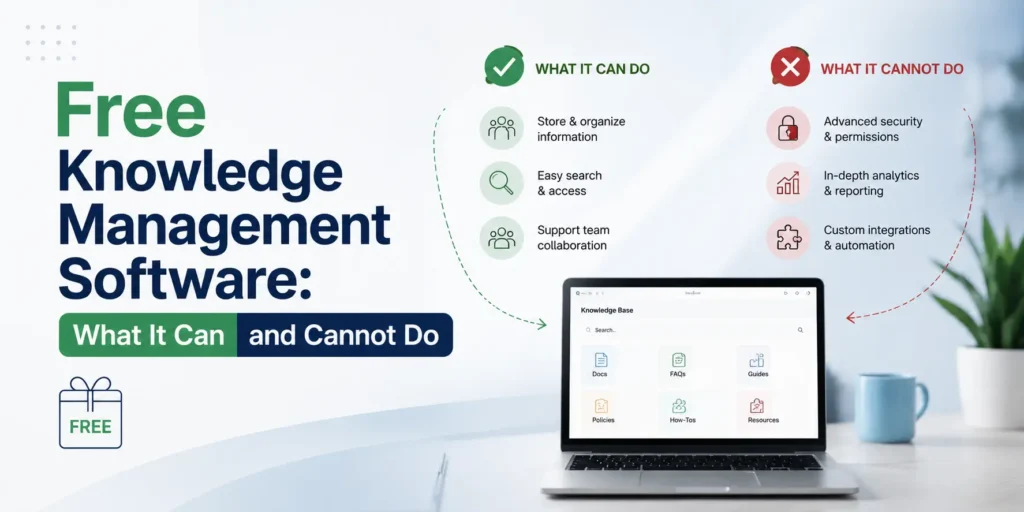
What Free Actually Means in Knowledge Management Software
Before evaluating specific tools, the word “free” needs unpacking because it means different things across different platform models, and those differences have significant operational consequences.
Freemium Tiers
Most commercial knowledge management platforms offer a free tier that supports a limited number of users, a limited volume of content, or a limited feature set. These tiers are designed as acquisition mechanisms, not as complete products. The free tier is built to demonstrate value up to the point where the organization’s needs exceed its constraints, at which point the upgrade path becomes obvious.
Freemium tiers are legitimate for specific situations: proof of concept before a paid commitment, very small teams with minimal knowledge management needs, and individual practitioners building personal knowledge systems. They are not designed to support organizational knowledge management at scale, and organizations that deploy them expecting enterprise-grade capability will consistently be disappointed.
Open Source Platforms
Open source knowledge management tools are free in the sense that there is no license fee. They are not free in the sense of having no cost. The cost of open source KM software is the technical overhead of self-hosting: server infrastructure, installation, configuration, security maintenance, backup management, and version updates. For organizations with technical staff, this cost is manageable and often represents genuine total cost savings over commercial alternatives. For organizations without technical staff, the maintenance burden of a self-hosted open source platform reliably exceeds the license savings within the first year.
Permanently Free Commercial Tools
A small number of commercial tools offer genuinely free tiers that are not artificially constrained to drive upgrades. These exist primarily in adjacent categories, note-taking tools, wiki platforms, and collaborative document tools, that serve some knowledge management needs without being purpose-built KM platforms. They represent the most underrated option for small organizations with modest knowledge management requirements.
The True Cost of Free Knowledge Management Software
The license fee is the smallest component of total cost for any knowledge management deployment, free or paid. Understanding the real cost categories is essential before deciding whether free is genuinely the right economic choice.
Time Cost of Content Creation
A knowledge base is only as valuable as the knowledge in it. Building that knowledge requires people to write it, and those people have other jobs. For a small organization building an initial knowledge base covering its most critical processes, onboarding materials, and recurring questions, the realistic content creation investment is 20 to 40 hours of focused writing time across the team. This time cost is identical regardless of whether the platform is free or paid.
Time Cost of Technical Setup for Open Source Tools
Self-hosted open source platforms require installation, configuration, and ongoing maintenance. For a technically capable person, initial setup takes four to eight hours. Ongoing maintenance, including security patches, version updates, backup verification, and occasional troubleshooting, adds two to four hours per month. Over a 24-month period, this represents 50 to 100 hours of technical labor that has a real cost even when it is not an explicit budget line.
The Migration Cost When Free Becomes Inadequate
This is the cost that most free KM software evaluations ignore completely, and it is often the most significant one. Organizations that build a knowledge base in a free tool and later need to migrate to a paid platform face a content migration process that is time-consuming, disruptive, and often results in content quality degradation.
Migration difficulty scales with content volume and structural complexity. A 50-article knowledge base migrates in a weekend. A 500-article knowledge base with a developed taxonomy, embedded media, and user-specific permissions migrates over weeks and requires dedicated project management. The cost of that migration, in labor time and organizational disruption, frequently exceeds two to three years of license fees for the paid platform the organization eventually moves to.
The question free KM software evaluations should always include is: what does migration look like if this tool stops meeting our needs in 18 months? If the answer is painful, the free tool may be more expensive than a paid alternative over the relevant planning horizon.
The Organizational Cost of a Failed First Attempt
The hardest cost to quantify and the most damaging in practice is the organizational skepticism produced by a knowledge management deployment that visibly fails. When employees invest time contributing to a knowledge base that becomes outdated, hard to search, or simply abandoned by the team, their willingness to invest in a second attempt decreases substantially. Leadership support for the investment evaporates. The KM program gets labeled a failed initiative rather than a failed tool choice.
This cost is not theoretical. It is one of the most consistent patterns in knowledge management program failures across organizations of all sizes. Selecting a tool that the organization will outgrow in 12 months because it was free is a false economy when the organizational cost of the failure exceeds the license savings many times over.
Where Free Knowledge Management Software Works Well
Free knowledge management tools are genuinely appropriate in four specific situations. Outside these situations, they represent a compromise that will cost more than it saves.
Situation One: Organizations Under 15 People With Strong Documentation Culture
At fewer than 15 people, the knowledge management challenge is primarily behavioral rather than technological. The team is small enough that informal knowledge transmission still functions, the content volume is low enough that governance overhead is manageable manually, and the cost of a paid platform is difficult to justify against the alternative uses of that budget.
In this situation, a well-organized free or open source tool can fully meet the organization’s knowledge management needs indefinitely. The critical qualifier is strong documentation culture. If team members write things down voluntarily, keep documentation current without reminders, and actively use shared knowledge resources rather than asking colleagues, free tools will serve them well. If documentation culture is weak, the tool is irrelevant. Culture is the binding constraint, not the platform.
Situation Two: Proof of Concept Before Organizational Commitment
Organizations considering a significant knowledge management investment benefit from demonstrating value before committing to a paid platform. A 60 to 90 day pilot using a free tool, covering one team or one knowledge domain, with clear success metrics defined in advance, allows the organization to validate assumptions about user behavior, content creation capacity, and knowledge access patterns before the larger investment.
This is a legitimate and strategically sound use of free knowledge management software. The important condition is that the pilot is designed with a clear evaluation framework and a defined decision point, not as a permanent solution that becomes permanent by default because nobody makes the upgrade decision.
Situation Three: Individual and Personal Knowledge Management
Personal knowledge management, the practice of individuals building systems to capture, organize, and retrieve their own learning, notes, and reference material, is a genuinely strong use case for free tools. Obsidian, Logseq, and Notion’s free tier are all capable of supporting sophisticated personal knowledge management systems at zero cost, and the governance limitations that make free tools inadequate for organizational KM are largely irrelevant at the individual level.
KM professionals who build strong personal knowledge management practices also tend to build stronger organizational KM programs, because the discipline of managing their own knowledge makes them better at designing systems for others.
Situation Four: Open Source With Dedicated Technical Capability
Organizations with in-house technical staff who can manage self-hosted infrastructure and who have knowledge management needs that a commercial platform would serve for $500 to $2,000 per month, represent the situation where open source knowledge management software delivers its clearest economic case. The license savings over a 36-month period are substantial, the technical overhead is manageable within existing staff capacity, and the functionality of platforms like BookStack and Outline is genuinely sufficient for a wide range of organizational KM needs.
The qualifier is dedicated technical capability. Not theoretical access to someone who could figure it out. Dedicated staff time, on an ongoing basis, for maintenance and support.
The Honest Assessment: 6 Free and Open Source KM Tools
The following assessments are based on what these tools actually do in real-world organizational deployments, not on their feature lists or their own marketing. No affiliate relationships exist with any of these platforms.
BookStack
BookStack is an open source, self-hosted knowledge management platform with a clean interface, strong organizational structure (Books, Chapters, Pages), and a full feature set that rivals commercial platforms in many respects. It supports multi-user environments, role-based permissions, full-text search, and API access for integration with other systems.
What it does well: BookStack’s organizational hierarchy is intuitive enough that non-technical users can navigate and contribute without training. The editor is clean and capable. Search works reliably across large content volumes. The platform is actively maintained with regular updates and a responsive community.
What it does not do well: BookStack has no native content governance features. There are no automated review reminders, no content expiration workflows, and no content health dashboards. Content quality management requires entirely manual oversight, which is sustainable for small teams with disciplined documentation habits and unsustainable for larger organizations or those with weaker governance culture. Integration with external tools is limited compared to commercial platforms, and the absence of native Slack or Teams integration means knowledge access requires navigating to a separate destination.
Who it fits: Organizations under 50 people with technical staff available for hosting, strong documentation culture, and knowledge management needs that do not require automated governance or deep workflow integration.
Outline
Outline is an open source knowledge base and wiki platform with a notably clean interface and a strong editor experience. It offers both a self-hosted option and a cloud-hosted version with a free tier for small teams. The platform supports real-time collaborative editing, nested document organization, and basic search functionality.
What it does well: Outline’s editor is one of the best available in the open source KM space. The interface is clean enough that employee adoption is relatively frictionless. The cloud-hosted option removes the technical overhead of self-hosting for teams that prefer a managed service. The free cloud tier is genuinely usable rather than artificially constrained to force upgrades.
What it does not do well: Outline’s governance features are minimal. Content ownership assignment is basic, review workflows do not exist natively, and analytics capability is limited. At content volumes above a few hundred articles, findability degrades because the search infrastructure is not designed for semantic retrieval. The free cloud tier limits certain collaboration features that become important as team size grows.
Who it fits: Teams of 5 to 20 people building their first structured knowledge base, particularly those with strong writing habits and modest governance requirements. A strong starting point before migrating to a more governed platform.
MediaWiki
MediaWiki is the software behind Wikipedia and one of the most powerful and flexible open source knowledge platforms available. It supports extremely large content volumes, complex permission structures, extensive customization through plugins, and robust version history across all content.
What it does well: At scale, MediaWiki is unmatched in the open source KM space. Content volume is not a constraint. The version history and revision tracking capability is superior to most commercial alternatives. The platform has decades of development behind it and extremely broad community support.
What it does not do well: MediaWiki’s interface is dated and its contribution workflow is hostile to non-technical users. The wiki markup language, despite visual editor improvements, creates a meaningful barrier for casual contributors. Governance features in the organizational KM sense, review workflows, ownership assignment, content health monitoring, are not native capabilities. Configuration and ongoing administration require significant technical expertise. For most organizations under several hundred employees, the complexity is disproportionate to the capability actually needed.
Who it fits: Large organizations or communities with significant technical resources, very high content volumes, and a contributor base comfortable with wiki editing conventions. Not appropriate for most small and mid-size business KM deployments.
Notion Free Tier
Notion is not a knowledge management platform in the purpose-built sense. It is a flexible workspace tool that can be configured to serve knowledge management functions alongside project management, databases, and documentation needs. Its free tier supports unlimited pages and blocks for individuals and small teams with up to ten guest collaborators.
What it does well: Notion’s flexibility is its greatest strength. It can be configured to serve a surprisingly wide range of knowledge management needs without requiring technical expertise. The editor is genuinely excellent. The database functionality allows knowledge to be organized with custom properties that approximate metadata management. For teams building documentation habits for the first time, Notion’s low barrier to entry makes it one of the most effective starting points available.
What it does not do well: Notion lacks the governance infrastructure that makes knowledge management sustainable over time. There are no automated review reminders, no content ownership workflows, no content health monitoring, and no meaningful analytics. Search quality degrades as content volume grows. The organizational structure that makes Notion flexible, its infinite nesting and database variety, also makes it easy to create a disorganized knowledge environment if governance discipline is not maintained manually. The free tier’s ten-guest limitation becomes restrictive quickly for growing teams.
Who it fits: Individuals, very small teams under 15 people, and organizations building documentation habits before investing in a purpose-built KM platform. An excellent starting point. A problematic permanent solution for teams above 20 people.
Confluence Free Tier
Confluence is a commercial wiki and knowledge management platform with a free tier supporting up to ten users. For small teams already within the Atlassian ecosystem using Jira for project management, the free Confluence tier offers the tightest integration available at zero license cost.
What it does well: The Atlassian ecosystem integration is Confluence’s primary advantage. For teams using Jira, the ability to connect knowledge articles directly to project tickets, epics, and issues creates a knowledge access model that is genuinely embedded in the workflow rather than requiring a separate destination. The editor is capable and the organizational structure is flexible.
What it does not do well: The free tier’s ten-user limit makes it impractical for most organizational KM deployments. Above ten users, Confluence’s pricing moves to a paid tier that, while competitive at small team scale, removes the free option entirely. Content governance features, while present in paid tiers, are not strong relative to purpose-built KM platforms. Confluence pages accumulate at scale and content decay is a well-documented operational challenge for organizations without dedicated governance oversight. Search quality in Confluence has historically been a criticism even among satisfied users of the platform.
Who it fits: Teams of ten or fewer already in the Atlassian ecosystem. At above ten users, the free tier is no longer available and the evaluation should compare Confluence’s paid tier against purpose-built alternatives rather than treating it as a free option.
Obsidian (Personal KM)
Obsidian is a personal knowledge management tool built around a local folder of plain text markdown files. It is free for personal use and supports an extensive plugin ecosystem that extends its capability substantially. It is not a multi-user organizational knowledge management platform. It is included here because it is the most capable free tool available for individual knowledge management and because individual KM practice is a legitimate organizational knowledge management investment.
What it does well: Obsidian’s local-first, plain text architecture means complete data ownership with no vendor lock-in. The bidirectional linking capability, which creates a graph of connections between notes and concepts, supports a style of knowledge organization that is genuinely different from hierarchical folder structures and valuable for complex knowledge domains. The plugin ecosystem, including tools for spaced repetition, task management, and publication, extends the platform’s capability substantially. The graph view visualization of knowledge connections is both useful and genuinely impressive.
What it does not do well: Obsidian is not designed for multi-user organizational knowledge management. Sharing knowledge between team members requires either a paid sync subscription or a workaround using shared folders, neither of which scales to organizational knowledge management needs. It is a personal tool, and using it for organizational purposes requires compromises that erode its core strengths.
Who it fits: Individual knowledge workers, researchers, writers, and KM professionals building personal knowledge management practice. Not appropriate for organizational KM beyond personal use.
The Governance Gap: Why Free Tools Consistently Fail at Organizational Scale
Every free knowledge management tool on the list above has one thing in common beyond cost: limited or absent content governance infrastructure. This is not a coincidence. Content governance features, automated review workflows, ownership assignment, content health monitoring, expiration management, and quality analytics, are expensive to build, require ongoing development investment to maintain, and are the features that most convincingly justify paid tier upgrades.
Free tools therefore systematically underinvest in governance capability. This creates a predictable failure pattern that plays out in organizations across every size and industry.
Month one through three: the knowledge base is new, content is fresh, and employees are engaged. The platform works as intended.
Month four through six: content creation slows as the initial enthusiasm fades and the ongoing effort of documentation competes with other priorities. Some articles become outdated but nobody flags them.
Month seven through twelve: employees begin encountering outdated content. Trust in the knowledge base declines. Search queries increase while confidence in results decreases. Employees revert to asking colleagues rather than consulting the knowledge base.
Month twelve through eighteen: the knowledge base is largely abandoned by the team despite containing a significant volume of content. The visible failure is attributed to the platform. The actual cause is the absence of governance infrastructure that would have kept content current and trustworthy.
This pattern has a name in the knowledge management literature. Enterprise Knowledge’s research calls it the “portal graveyard problem,” and it has appeared in every generation of knowledge management technology since the first enterprise intranets of the 1990s. Free tools are particularly susceptible because they provide no automated mechanism for detecting and addressing the content decay that produces it.
The implication for organizations considering free knowledge management software is direct: if the team cannot commit to a manual content governance process, meaning defined ownership, regular review cycles, and active quality management without software reminders, a free tool will fail within 18 months regardless of how well it is set up at launch.
When to Move From Free to Paid: Four Clear Signals
Organizations using free knowledge management tools should recognize the following signals as indicators that the free option has reached its useful limit and that the cost of continuing on a free platform exceeds the cost of upgrading.
Signal one: employees ask colleagues for information that exists in the knowledge base.
When employees consistently prefer asking a person over searching the knowledge base, the knowledge base has lost their trust. This is almost always a content quality problem, meaning content is outdated, hard to find, or inconsistently organized, rather than a platform problem. But it is also a signal that the governance tools required to restore content quality are beyond what the free platform provides.
Signal two: content review is consistently behind and nobody has time to fix it.
When the volume of articles requiring review exceeds the team’s capacity to review them manually, automated governance tools are no longer a nice-to-have. They are the mechanism that makes the knowledge management program survivable. This is the signal that the free platform’s governance limitations have become operationally significant.
Signal three: the team cannot identify what knowledge is missing.
When the organization cannot answer the question “what do employees search for and fail to find,” the analytics capability of the free platform is insufficient. This is a signal that the knowledge management program is operating without the feedback loop required to improve it.
Signal four: integration with other tools is creating workarounds.
When employees are copying and pasting content between the knowledge base and the tools they actually work in because integration does not exist, the friction created by that workaround is reducing both contribution rates and access rates. This is a signal that the integration architecture of the free platform is limiting the knowledge management program’s operational value.
The Decision Framework: Free, Freemium, or Paid
The following framework produces a defensible decision for most organizational situations.
Choose a free open source platform if: the organization has dedicated technical staff for hosting and maintenance, the team is under 50 people, documentation culture is strong, and the organization’s governance needs are straightforward enough to manage manually.
Choose a freemium commercial tier if: the team is under 15 people, the primary need is building documentation habits rather than managing organizational knowledge at scale, and the goal is a proof of concept before a larger investment.
Choose a paid platform if: the team is above 30 people, content governance needs to be automated rather than manual, integration with existing workflows is a priority, or a previous free tool deployment has already failed due to governance limitations.
In every case, the question that determines the right answer is not “how much can we avoid spending” but “what does this tool need to do in 18 months and is this platform capable of doing it.” Organizations that answer that question honestly before selecting a free tool will either confirm that the free option is appropriate or save themselves the time and organizational cost of learning that it is not.
Frequently Asked Questions: Free Knowledge Management Software
Is there truly free knowledge management software that works for organizations?
Yes, for specific situations. BookStack and Outline are open source platforms that provide genuine organizational knowledge management capability at zero license cost. The cost is the technical overhead of self-hosting. For organizations with that capability, they are legitimate free options rather than compromised free tiers designed to drive upgrades.
What is the best free knowledge management software for a small team?
For teams under 15 people without technical hosting capability, Notion’s free tier or Outline’s cloud free tier offer the best balance of usability and capability. For teams with technical capability, BookStack is the strongest free option for organizational knowledge management.
Can free knowledge management software support AI integration?
Most free and open source knowledge management tools have limited native AI integration capability. BookStack and Outline both offer APIs that allow integration with AI systems, but the semantic search and knowledge graph features that make knowledge bases genuinely useful as AI retrieval layers are largely absent from free platforms. Organizations planning to use their knowledge base as infrastructure for enterprise AI systems should evaluate paid platforms with native semantic search and RAG support.
How long can an organization use free knowledge management software before needing to upgrade?
Organizations with strong documentation culture, teams under 20 people, and modest governance requirements can use free tools indefinitely. Organizations with weaker documentation culture, teams above 30 people, or significant integration needs typically encounter the limitations of free tools within 12 to 18 months of deployment.
What happens to content if a free tier is discontinued or pricing changes?
This is a legitimate risk for freemium commercial platforms. The mitigation is selecting platforms with data export in standard formats (HTML, Markdown, PDF) and verifying the export process before building significant content volume. Open source self-hosted platforms eliminate this risk entirely because the organization owns and controls the infrastructure.
The Bottom Line
Free knowledge management software is not a shortcut to the same outcome as paid software. It is a different product category with different capabilities, different limitations, and a different appropriate use case.
For organizations in the right situation, specifically small teams with technical capability, strong documentation culture, and modest governance requirements, free tools deliver genuine value at zero license cost. For organizations outside that situation, free tools represent a false economy whose costs accumulate invisibly until they become visible as a failed knowledge management program.
The most expensive version of free knowledge management software is the one that fails publicly after six months of organizational investment, damages the team’s willingness to try again, and requires a migration to a paid platform while carrying the institutional memory of a previous failure.
Avoiding that outcome requires honest assessment of organizational readiness before tool selection, clear governance commitment before deployment, and realistic planning for the point at which the free tool’s limitations become operational constraints rather than theoretical ones.
The tool is free. The discipline required to make it work is not.
Related reading:
- How to Choose Knowledge Management Software: The Buyer’s Guide No Vendor Will Write
- Knowledge Management Software vs SharePoint vs Wiki: What Most Organizations Get Wrong
- Knowledge Management Software for Small Business: What Works Under 100 Employees
- How to Implement Knowledge Management Software Without Losing the First Six Months