Every comparison article ranking for knowledge management
software right now has something in common: it was written
by a vendor with a product in the list. The platform that
appears first is never a coincidence. These guides exist to
generate leads, not to help buyers make better decisions.
The result is a buyer landscape where organizations spend months evaluating software, select a platform with confidence, deploy it with genuine organizational investment, and then watch it fail within 18 months because the evaluation process measured the wrong things from the beginning.
This guide measures the right things. It has no affiliate links, no sponsored placements, and no vendor relationships. Its only purpose is to help organizations choose knowledge management software that actually works for their specific situation.
The single most important thing to understand before reading further: the majority of knowledge management software failures are not software failures. They are organizational readiness failures that happen to occur after a software purchase. The software gets blamed. The actual cause is the organization’s knowledge foundation, which was broken before the software arrived and which no software can fix on its own.
Keeping that reality in front of every evaluation decision is what separates buyers who succeed from buyers who repeat the same mistake with a different vendor.
What Is Knowledge Management Software: A Definition That Actually Helps Buyers
Before evaluating any platform, buyers need a working definition of what knowledge management software is and, equally important, what it is not.
Knowledge management software is a platform designed to capture, organize, maintain, and deliver organizational knowledge to the people who need it, at the moment they need it, in a form they can act on.
That definition contains four operational requirements that most software evaluations ignore: capture, organize, maintain, and deliver. Most buyers focus almost entirely on the delivery dimension, meaning the search interface and the user experience, while treating capture, organization, and maintenance as secondary concerns. This is the wrong order of priority.
A knowledge management system that delivers knowledge beautifully but has no mechanism for maintaining content quality will become a liability within twelve months. A system that organizes knowledge elegantly but has no workflow for capturing new knowledge from subject matter experts will stagnate. The delivery layer is visible and impressive during vendor demonstrations. The capture, organization, and maintenance layers are invisible during demonstrations and decisive during real-world operation.
Knowledge management software is not the same as the following, despite frequent confusion in the market:
A document management system stores files with version control and access permissions. It does not actively surface knowledge in context or maintain the relationship between knowledge assets.
An intranet is a communication and navigation platform. It may contain knowledge, but it is not designed to manage knowledge quality, findability, or operational relevance over time.
A wiki is a collaborative documentation tool. It works well for small teams with strong contribution habits. It degrades at scale without governance infrastructure that most wiki platforms do not provide natively.
A learning management system delivers structured training content. It is designed for instructional delivery, not for operational knowledge retrieval at the moment of need.
An enterprise search tool indexes existing content repositories and improves retrieval across them. It does not manage knowledge quality, ownership, or lifecycle.
These distinctions matter because buyers frequently evaluate knowledge management software when what they actually need is one of the above, and frequently deploy a wiki or an intranet when what they actually need is a knowledge management system with governance infrastructure. Getting the category right before evaluating platforms saves months of misdirected evaluation effort.
The Question That Determines Whether Any KM Software Purchase Will Succeed
Before evaluating a single platform, every organization should answer one question honestly:
Do we have a knowledge governance process in place before we select software?
This means: does the organization have defined knowledge owners for different content domains, a process for reviewing and retiring outdated content, a taxonomy or classification structure for organizing knowledge, defined standards for what constitutes publishable knowledge, and a workflow for capturing knowledge from subject matter experts before it leaves the organization?
If the answer is no to most of these, the software selection process is premature. Not because the organization should not be buying knowledge management software, but because the software selection decision cannot be made intelligently without understanding what governance model the software needs to support.
Organizations that answer no to most governance questions and proceed with software selection anyway typically end up selecting based on the features that look best in a demonstration, deploying against ungoverned content, discovering that the software performs poorly against that content, blaming the software, and repeating the cycle with a new vendor.
The correct sequence is: assess organizational knowledge readiness, design the governance model, identify the functional requirements the governance model creates, and then evaluate software against those requirements. Most organizations do this in reverse, or skip the first three steps entirely.
The knowledge readiness assessment does not need to take months. A focused two-week audit covering the organization’s five most critical knowledge domains, the current state of documentation in each, ownership clarity, and content currency gives enough information to define governance requirements and therefore software requirements.
Four Knowledge Management Use Cases: Why the Right Software Depends on This Answer First
The knowledge management software market serves four distinct use cases. Software optimized for one performs poorly for the others. Most buyers conflate these use cases during evaluation and end up with a platform that serves their secondary need well and their primary need poorly.
Use Case 1: Internal Employee Knowledge
This is the most common KM software use case. The organization needs a centralized, searchable, maintained repository of operational knowledge: policies, procedures, process guides, onboarding materials, decision frameworks, and institutional knowledge that employees need to do their jobs effectively.
The defining requirements for this use case are findability (employees can locate what they need quickly without knowing exactly where it lives), content health (the system actively surfaces outdated content that needs review rather than passively storing it until someone notices it is wrong), contribution workflow (subject matter experts can create and maintain knowledge without requiring dedicated content teams), and access governance (different knowledge is accessible to different roles without creating knowledge silos that defeat the purpose of centralization).
Use Case 2: Customer-Facing Knowledge Base
The organization needs a public or customer-accessible knowledge base: help articles, product documentation, troubleshooting guides, FAQs, and self-service resources designed to reduce support volume and improve customer experience.
The defining requirements for this use case are article discoverability through search (both internal and SEO), analytics that connect knowledge base usage to support ticket reduction, authoring tools optimized for non-technical content creators, feedback mechanisms that surface what customers searched for and did not find, and integration with the support ticketing system so agents can contribute to the knowledge base from within their existing workflow.
Use Case 3: Expert Knowledge Capture and Transfer
The organization needs structured processes and tools for capturing tacit expertise from experienced employees, particularly in the context of workforce transitions, succession planning, or the acceleration of onboarding for complex roles.
The defining requirements for this use case are structured capture workflows (templates and processes for knowledge interviews, after-action reviews, and expert debriefs), expertise location (the ability to identify who knows what across the organization), mentoring and apprenticeship support, and integration with talent management systems.
Use Case 4: AI Training Data and Retrieval Infrastructure
The organization needs to build and maintain a knowledge foundation that can serve as the retrieval layer for enterprise AI systems, including RAG architectures, AI copilots, and AI-powered customer service systems.
The defining requirements for this use case are semantic search capability, knowledge graph or ontology support, metadata governance at the asset level, content quality measurement and monitoring, API architecture that supports AI system integration, and provenance tracking that allows AI-generated responses to cite their source content reliably.
Most organizations have elements of multiple use cases. The evaluation exercise is to identify which use case drives 70 percent or more of the organizational need, because that use case should dominate the software selection decision. Secondary use cases can be addressed through integration or phased expansion.
The Five-Stage Knowledge Management Software Evaluation Framework
Stage 1: Define Functional Requirements From Governance First
The most common evaluation mistake is beginning with a vendor shortlist and working backward to requirements. The correct approach is building requirements from governance needs and working forward to vendor capabilities.
After completing the use case identification exercise above, document the governance model the organization needs to support. This includes the content ownership structure (who is responsible for which knowledge domains), the content lifecycle process (how knowledge is created, reviewed, updated, and retired), the taxonomy and classification requirements (how knowledge will be organized for retrieval), and the contribution model (who creates knowledge, through what process, with what quality standards).
Each governance requirement translates directly into a software functional requirement. If the governance model requires every knowledge asset to have a designated owner who receives periodic review reminders, the software must support asset-level ownership assignment and automated review notifications. If the taxonomy requires hierarchical classification with multiple tag dimensions, the software must support that metadata structure. If the contribution model requires subject matter expert review before any content is published, the software must support approval workflows.
Functional requirements built this way are objective and testable during vendor evaluation. Requirements built from vendor demonstration features are not.
Stage 2: Build the Vendor Evaluation Scorecard
With functional requirements documented, build a weighted scorecard before initiating vendor contact. The weighting should reflect the priority of each requirement for the organization’s specific situation, not the industry average or the vendor’s recommended evaluation criteria.
A robust scorecard covers seven evaluation dimensions:
Knowledge governance capabilities covers asset-level ownership, automated review reminders, content expiration and retirement workflows, version control, and audit trails. This dimension is the most important for long-term platform success and the most frequently underweighted in evaluations.
Search and retrieval covers semantic search capability, natural language query support, search analytics (what people searched for and did not find), federated search across integrated systems, and personalized retrieval based on role or context.
Content authoring and contribution covers editor usability for non-technical contributors, template support, media embedding, workflow for expert review and approval, and mobile contribution capability.
AI and integration readiness covers API architecture, native integrations with the organization’s existing tech stack, RAG support for AI systems, knowledge graph or ontology capability, and metadata export formats.
Analytics and measurement covers content usage analytics, search abandonment tracking, knowledge gap identification, and the ability to connect knowledge base activity to business outcomes such as support ticket deflection or onboarding time reduction.
Administration and governance tooling covers bulk content management, taxonomy administration, user permission management, content health dashboards, and duplicate detection.
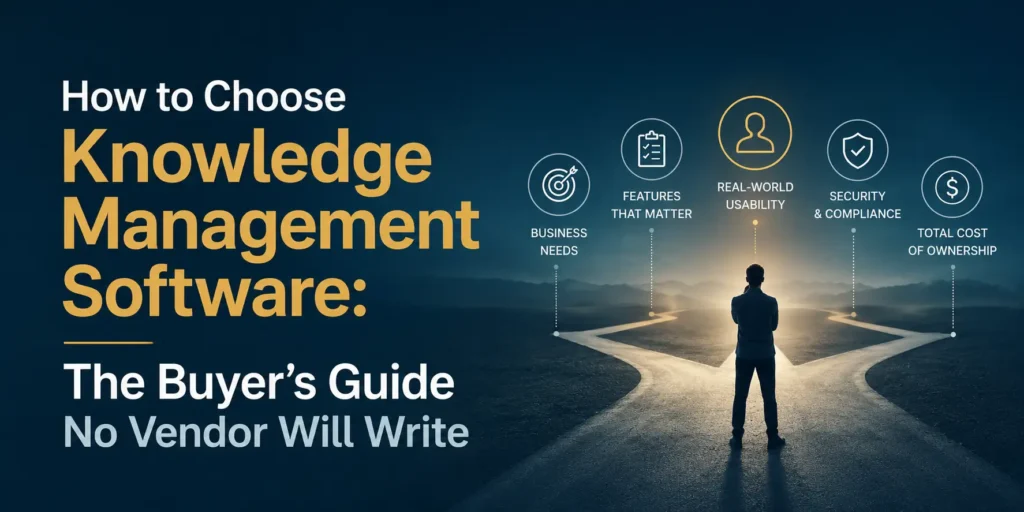
Total cost of ownership covers license fees at the organization’s scale, implementation and onboarding costs, content migration costs if applicable, and the internal labor required to administer the system ongoing.
Stage 3: Structure the Vendor Demonstration
Never let a vendor run a free-form demonstration of their platform. The demonstration should be scripted by the buying organization against the functional requirements scorecard. Provide vendors with the exact scenarios they should demonstrate before the session. Evaluate how the platform performs against those scenarios, not how impressive the demo looks in the vendor’s chosen flow.
The scenarios that reveal the most about platform capability in real-world conditions:
Ask the vendor to demonstrate what happens when a knowledge article has not been reviewed in 180 days. Does the system surface it for review? Does it flag it in search results? Does it notify the owner? How the platform handles content aging is one of the strongest predictors of long-term knowledge base quality.
Ask the vendor to demonstrate how a subject matter expert who is not a technical user contributes knowledge to the platform. Watch the actual steps. Count them. If it takes more than four actions to publish a new knowledge article, contribution rates will be low in practice regardless of what the vendor claims.
Ask the vendor to demonstrate what the search experience looks like when the user does not know the exact terminology used in the relevant article. This tests semantic search capability directly. Keyword-dependent systems fail this test and reveal themselves clearly.
Ask the vendor to demonstrate their analytics dashboard. Specifically ask to see: what was the most searched term that returned no results last month, which articles have the highest abandonment rate, and which knowledge owners have the most overdue review tasks. If the platform cannot answer these questions, its measurement capability is insufficient for serious KM programs.
Ask the vendor to demonstrate the content migration workflow. If the organization has existing knowledge in another system, the migration experience is often the first and most damaging operational challenge. Understanding it before signing a contract is essential.
Stage 4: Evaluate Total Cost of Ownership Honestly
License fees are the smallest component of knowledge management software total cost of ownership for most organizations. The larger costs are invisible during the sales process and often not discussed honestly by vendors.
Implementation and configuration costs include the time required to set up the taxonomy, configure governance workflows, establish user permissions, and integrate with existing systems. Enterprise implementations commonly run three to six months for a serious knowledge management deployment. The internal labor involved is substantial even when external implementation support is purchased.
Content migration costs are frequently underestimated. Migrating content from existing repositories is not a technical lift. It is a knowledge governance exercise. Every piece of content that migrates requires a decision about whether it is current, accurate, correctly classified, and worth maintaining. Organizations that treat content migration as a bulk technical transfer consistently end up with the same ungoverned content in a new container.
Ongoing governance labor is the cost that most organizations fail to budget for. A knowledge management system requires continuous maintenance: content reviews, taxonomy updates, ownership transitions when employees leave, quality audits, and gap analysis. This labor is real, it is ongoing, and it requires either dedicated staff time or a designated responsibility within existing roles. Organizations that deploy KM software without budgeting for this labor watch content quality degrade and platform usage collapse within twelve months.
User adoption investment covers training, communication, change management, and the workflow integration work required to make knowledge contribution a habit rather than an additional task. Platforms that embed knowledge access within existing workflows (Slack, Microsoft Teams, the browser, the support ticketing system) have lower adoption costs than standalone portals that require behavioral change to access.
Stage 5: Reference Check With the Questions Vendors Will Not Suggest
Vendor-provided references are selected to give positive accounts. That does not make them useless. It means the questions need to be designed to surface relevant information despite the selection bias.
Ask the reference: what does your governance process look like today, and how much has the software helped or hindered that process? This question reveals whether the platform’s governance tooling is actually used in practice.
Ask: what is your content review process, and what percentage of your knowledge base is currently within its review cycle? The answer reveals whether the platform’s content health tools work at operational scale.
Ask: what does your search analytics show you about knowledge gaps, and how do you act on that information? This reveals whether the analytics capability is actually driving knowledge base improvement or simply generating reports nobody reads.
Ask: if you were starting the implementation again, what would you do differently? This question consistently produces the most valuable information in the entire reference conversation.
Ask: what was the most difficult part of the implementation that the vendor did not adequately prepare you for? This reveals the gap between the vendor’s implementation narrative and the organizational reality.
The Red Flag Checklist: Vendor Behaviors and Contract Terms That Signal Trouble
These are the specific indicators that a vendor relationship or platform will create problems post-signature.
The vendor leads every demonstration with the AI features rather than the governance features. In 2026, AI capabilities are the most marketable feature set for any knowledge management platform. They are also the features that deliver the least value when deployed against ungoverned content, which is the situation most organizations find themselves in. A vendor that leads with AI without first establishing that the organization’s knowledge foundation can support AI is either misaligned with the organization’s actual readiness or indifferent to it.
The vendor cannot demonstrate content health monitoring at the asset level. If the platform’s governance capability amounts to a content creation date field and a manual review reminder, it is not a knowledge management system. It is a document repository with a search layer.
The contract includes minimum content volume commitments or usage-based pricing that penalizes the organization for improving knowledge base efficiency. Knowledge management should reduce the volume of queries reaching human support, which in a usage-based pricing model means the organization is penalized for KM success.
The vendor’s implementation methodology does not include a knowledge readiness assessment before configuration begins. Vendors that move directly from contract signing to platform configuration without assessing the organization’s content quality, taxonomy, and governance readiness are optimizing for fast deployment, not successful outcomes.
The vendor cannot provide references from organizations of similar size, complexity, and industry. References from enterprise implementations do not apply to mid-market evaluations. References from customer service KM implementations do not apply to internal employee knowledge implementations.
The platform does not support data export in standard formats. Organizations that cannot export their knowledge base content in a portable format are locked into the vendor permanently. This is not a theoretical risk. The knowledge management software market has significant vendor turnover. Organizations need the ability to migrate.
Knowledge Management Software for Different Organizational Contexts
The right knowledge management software varies significantly based on organizational size, maturity, and primary use case. The following guidance is not a ranked list of products. It is a framework for thinking about which platform categories fit which organizational contexts.
Organizations Under 50 People
At this scale, the organizational challenge is usually not knowledge retrieval but knowledge capture. Knowledge lives in the heads of a small number of people, communication is direct, and the overhead of a full-featured knowledge management system is rarely justified.
The appropriate starting point is a well-governed wiki or team knowledge base tool with a strong contribution workflow. The investment at this stage should go into governance habits and documentation culture rather than platform features. Platforms that are simple enough that employees actually use them without training are more valuable than platforms with comprehensive features that require adoption effort.
The migration path from this scale to a full knowledge management system is easier when the organization has built documentation habits early, even in a simple tool, than when it attempts to formalize knowledge management for the first time at 200 people.
Organizations Between 50 and 500 People
This is the range where knowledge management software investment begins to pay clearly measurable returns. At this scale, informal knowledge transmission breaks down, onboarding costs rise significantly, and the cost of knowledge fragmentation becomes visible in operational metrics.
The evaluation should focus on use case clarity first. An organization in this range with a customer-facing support operation has different requirements from one focused entirely on internal employee knowledge. Platform selection at this scale is heavily use-case dependent.
Governance tooling becomes decisive at this scale because content volume is large enough that ungoverned content creates real retrieval problems, but the organization typically does not have a dedicated KM team to manage quality manually. The platform must support governance workflows that operate without requiring constant human oversight.
Organizations Above 500 People
At enterprise scale, the complexity of knowledge management increases across every dimension simultaneously: content volume, contributor diversity, language and regional variation, taxonomy complexity, integration requirements, and governance overhead.
The evaluation at this scale should weight integration architecture heavily. Enterprise knowledge management platforms that cannot connect with the existing technology ecosystem (CRM, ERP, HRIS, collaboration tools, support systems) create parallel workflows that fragment knowledge rather than centralizing it.
Security and compliance requirements become non-negotiable evaluation criteria at this scale, particularly for organizations in regulated industries. Role-based access control, audit trails, data residency options, and compliance certifications should be verified before the demonstration stage rather than treated as implementation details.
The total cost of ownership at enterprise scale is dominated by implementation and ongoing governance labor, not license fees. Enterprise KM implementations require dedicated program management, change management capability, and often external implementation support. Organizations that underinvest in these components and overinvest in platform features consistently underperform against their stated objectives.
The Implementation Reality: What Happens After the Contract Is Signed
Software selection is the beginning of the knowledge management challenge, not the end. The implementation phase is where most investments succeed or fail, and the decisions made in the first 90 days after contract signing have disproportionate impact on long-term outcomes.
The single most important implementation decision is content migration strategy. Organizations facing a content migration have two choices: migrate everything and clean it up later, or audit and curate before migration. The first choice is faster, cheaper in the short term, and almost universally regretted. The second choice requires more upfront investment and produces a knowledge base that employees trust and use from the first day of deployment.
The second most important implementation decision is the rollout sequence. Deploying to the entire organization simultaneously maximizes adoption pressure and minimizes the time available to identify and fix governance problems before they become embedded habits. Deploying to a pilot group first allows the organization to validate the governance model, identify taxonomy gaps, test the contribution workflow, and measure search effectiveness before scale creates problems that are difficult to correct.
The third most important decision is measurement design. Organizations that define success metrics before deployment have a mechanism for identifying failure signals early and intervening before problems become structural. Organizations that wait until the platform is live to think about measurement typically discover problems only after users have abandoned the system and returned to informal knowledge sharing channels.
Frequently Asked Questions About Choosing Knowledge Management Software
What is the most important feature to look for in knowledge management software?
Content governance capability is the most important feature most buyers underweight. Specifically, asset-level ownership assignment, automated review reminders, and content expiration workflows. These features determine whether the knowledge base maintains quality over time. All other features depend on content quality to function effectively.
How much does knowledge management software cost?
License fees for knowledge management software range from free (open-source options, freemium tiers) to several hundred dollars per user per year for enterprise platforms. However, license fees represent a minority of total cost of ownership. Implementation, content migration, governance labor, and adoption investment typically total two to four times the annual license fee in the first year of deployment.
How long does it take to implement knowledge management software?
Implementation timelines range from two to four weeks for simple deployments of lightweight tools in small organizations, to six to twelve months for enterprise-scale implementations with significant content migration, integration requirements, and governance design work. The primary driver of timeline is content readiness, not technical complexity.
What is the difference between knowledge management software and a knowledge base?
A knowledge base is a repository of organized information, typically customer-facing or employee-facing help content. Knowledge management software is the platform category that includes knowledge bases along with the governance, workflow, analytics, and maintenance infrastructure required to manage knowledge quality over time. All knowledge management software includes knowledge base capability. Not all knowledge bases are built on knowledge management software.
When should an organization not buy knowledge management software?
An organization should delay purchasing knowledge management software when it has no knowledge governance model, no content ownership structure, and no process for maintaining knowledge quality. In this state, the software investment will produce a better-organized version of the existing knowledge disorder. The return on governance investment made before software selection is consistently higher than the return on software investment made before governance design.
What questions should I ask a knowledge management software vendor?
The highest-value questions to ask a vendor are: how does the platform surface content that needs review before it becomes outdated, what does the contribution workflow look like for a non-technical subject matter expert, how does the search analytics capability identify knowledge gaps rather than just measuring usage, what is the data export format and migration process if the organization decides to switch platforms, and what does the implementation methodology include before platform configuration begins?
The Final Decision Framework: Three Questions That Determine the Right Platform
After completing the evaluation process, most buyers have narrowed to two or three platforms that score comparably on the functional requirements scorecard. The final decision comes down to three questions that the scorecard cannot answer.
First: which platform will employees actually use without being required to? Adoption failure is the most common cause of KM software failure, and adoption is driven primarily by the friction involved in both contributing knowledge and accessing it. The platform that reduces friction the most for the organization’s specific workflows and communication tools will achieve higher adoption regardless of feature parity with competitors.
Second: which platform’s governance model matches the organization’s actual governance capacity? A platform with sophisticated governance tooling that requires a dedicated KM administrator to operate will underperform for an organization that cannot commit that resource, even if it outperforms theoretically. The right platform is the one whose governance model the organization can actually operate.
Third: which vendor demonstrates the deepest understanding of what the organization is actually trying to achieve, not just what features they want? Vendors who understand knowledge management as an organizational discipline rather than a software category will provide better implementation support, more relevant product development investment, and more useful guidance when deployment challenges arise.
The answers to these three questions, combined with the functional requirements scorecard, produce a defensible, well-reasoned platform decision that serves the organization’s actual knowledge management challenge rather than the vendor’s sales narrative.
That is the only kind of decision that survives contact with organizational reality.
Related reading:
- How to Implement Knowledge Management Software Without Losing the First Six Months
- Knowledge Management Software vs SharePoint vs Wiki: What Most Organizations Get Wrong
- Knowledge Management Software for Small Business: What Works Under 100 Employees
- Free Knowledge Management Software: What It Can and Cannot Do